



OLED vs LCD: Complete Display Technology Comparison Guide for Engineers
Choosing between OLED and LCD isn't about which is "better"—it's about which fits your application. OLED gives you infinite contrast and true black, but LCD wins on sustained brightness and long-term reliability with static content. Here's what engineers actually need to make the call.
Table of Contents
- Key Technical Parameters Compared
- Performance by Application
- How to Choose Between OLED and LCD
- Design Considerations and Integration Challenges
- Supply Chain and Sourcing Considerations
- FAQ
- Conclusion
1. Key Technical Parameters Compared
| Parameter | LCD (IPS) | OLED (AMOLED) | Engineering Impact |
|---|---|---|---|
| Contrast Ratio | 1000:1 to 1500:1 | >1,000,000:1 | OLED true black—critical for medical imaging and dark UI |
| Response Time | 4-8ms (IPS) | 0.1-0.2ms | OLED eliminates motion blur—essential for VR/AR and gaming |
| Peak Brightness | 500-1000 nits (sustained) | 400-800 nits (full screen) | LCD wins for outdoor readability |
| Power @ 100% white | 0.5-1.5W | 1.5-2.5W | LCD more efficient on bright content |
| Power @ black screen | ~0.8W (backlight dimmed) | ~0.05W (pixels off) | OLED sips power on dark UI |
| Operating Temp | -20°C to +85°C (industrial) | -20°C to +60°C | LCD handles wider temperature range |
| Lifetime (to 50% brightness) | 50,000-100,000 hours | 20,000-50,000 hours | Blue emitters age faster on OLED |
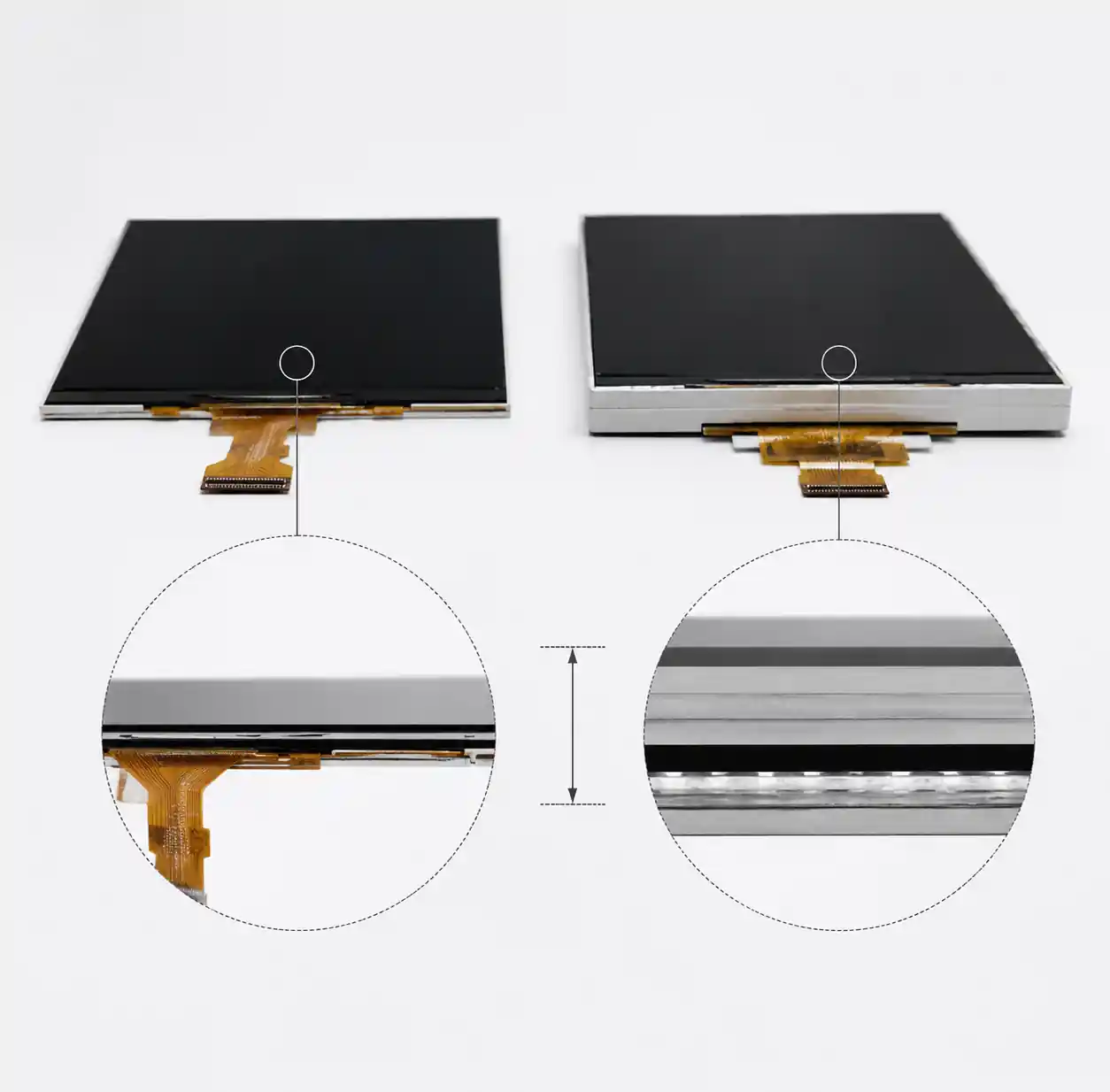
| Thickness | 3-5mm (module) | 0.5-1.5mm (flexible: 0.2mm) | OLED enables thinner, flexible designs |
Power Consumption by Content Profile (5.5" 1080p at 200 nits):
| Content Profile | LCD Power | OLED Power | Winner |
|---|---|---|---|
| 100% white screen | 1.2W | 2.8W | LCD by 57% |
| Dark mode smartphone UI | 1.1W | 0.6W | OLED by 45% |
| Always-on display (5% pixels) | 1.0W | 0.2W | OLED by 80% |
| Video (mixed content, ~30% APL) | 1.2W | 1.0W | OLED by 17% |
APL = Average Picture Level. For battery-powered devices, content profile drives technology selection.
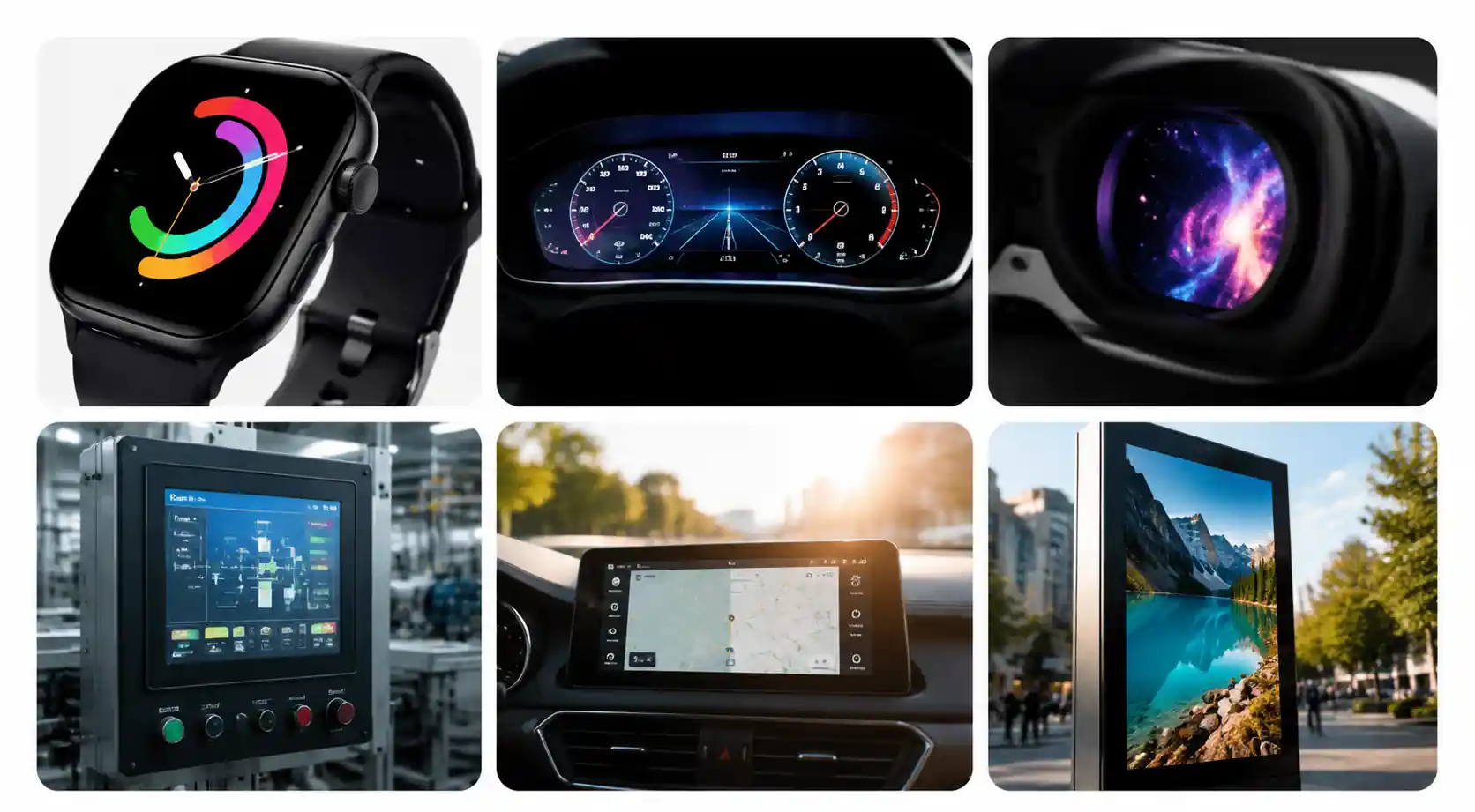
2. Performance by Application
| Application | Recommended | Key Decision Factor |
|---|---|---|
| Smartphone | OLED (primary), LCD (budget) | Dark UI efficiency, thinness |
| Automotive Dashboard | LCD (primary), OLED (premium) | Sunlight readability, -40°C operation |
| Smartwatch / Wearable | OLED | Always-on display efficiency |
| Industrial HMI | LCD | 24/7 operation, static content |
| Medical Imaging | OLED (growing), LCD (established) | Contrast for diagnostic accuracy |
| VR/AR Headsets | OLED (primary), Fast LCD (emerging) | Sub-ms response time |
| Outdoor Signage | LCD | Sustained high brightness |
| Gaming Monitor | LCD (high refresh), OLED (premium) | Response time vs cost |
3. How to Choose Between OLED and LCD
Choose OLED when:
- Contrast ratio matters most (medical imaging, photo/video work)
- Response time under 1ms is critical (VR/AR, gaming)
- Content is predominantly dark (smartwatch always-on, dark-mode apps)
- You need ultra-thin or flexible form factors
Choose LCD when:
- Peak brightness and outdoor readability matter (automotive, outdoor industrial)
- Static UI runs 24/7 (control panels, HMI, medical workstations)
- Operating temp range exceeds -20°C to +60°C
- Cost optimization and supply chain stability are top priorities
Hybrid approach: Some automotive designs use OLED for the instrument cluster (contrast, flexibility) and LCD for center infotainment (brightness, lifetime). Evaluate each screen independently.
4. Design Considerations and Integration Challenges
OLED-Specific Pitfalls:
Burn-in mitigation: If you have static UI elements (status bars, logos), OLED will show differential aging after 5,000-20,000 hours. Use pixel shifting, automatic brightness limiting, pixel refresh algorithms, and dark-themed UI. Status bars are the biggest offender—consider auto-hiding them.
Thermal management: OLED efficiency degrades above 50°C junction temperature. For high-brightness apps (>500 nits), use graphite sheets or vapor chambers. Automotive direct-sun exposure requires careful thermal analysis.
Pentile matrix: Many OLEDs use RGBG (PenTile) instead of RGB stripe. Above 400 PPI it's fine; below 350 PPI, text rendering gets fuzzy. Verify sub-pixel arrangement for text-heavy UIs.
LCD-Specific Pitfalls:
Backlight uniformity: Edge-lit LCDs can have 10-20% luminance variation. For professional use, specify direct-lit with local dimming and verify uniformity (>90%).
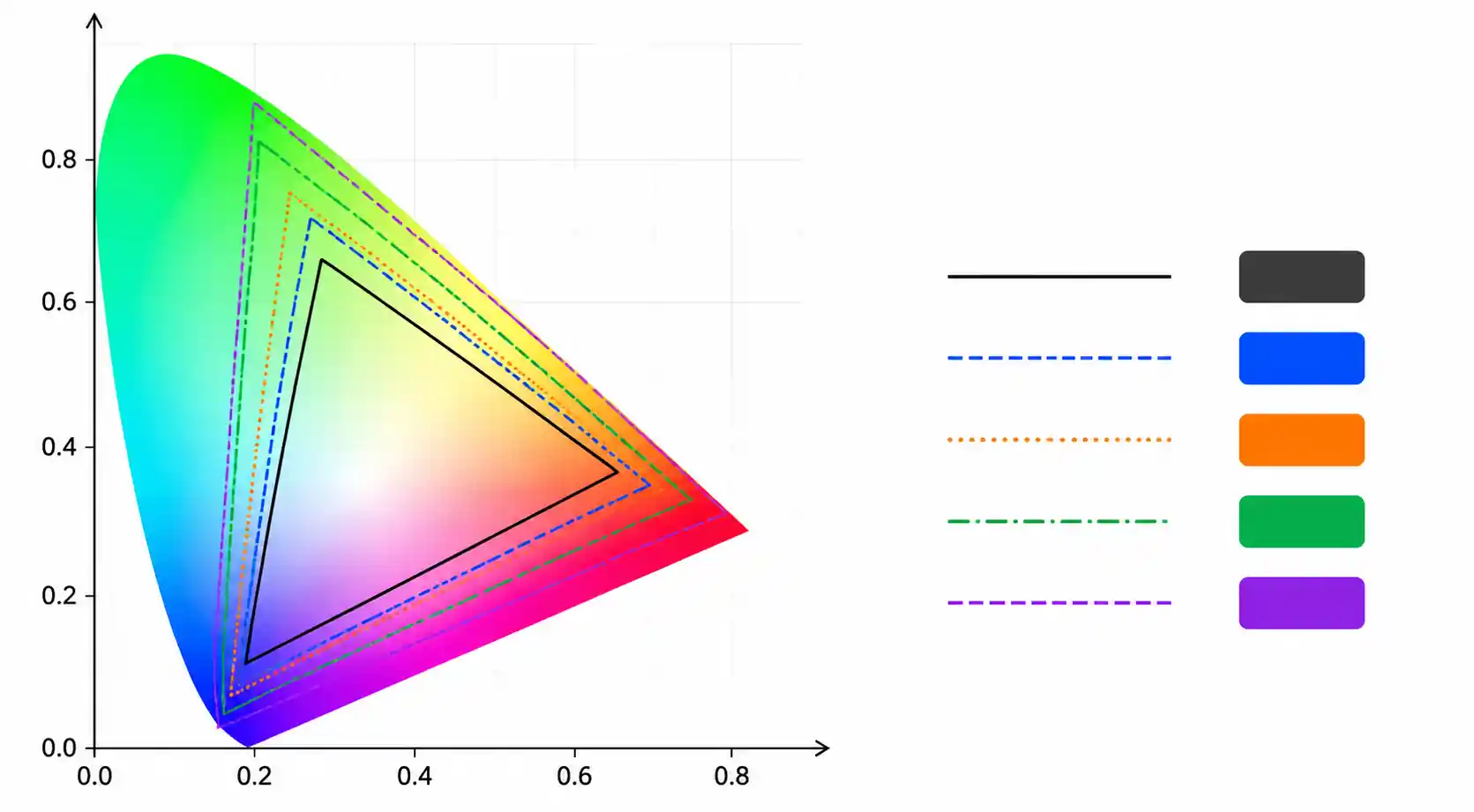
Viewing angle color shift: Even IPS shifts color at extreme angles. For multi-viewer applications (automotive dash, surgical displays), verify color gamut and gamma shift data.
Polarizer issues: LCDs can go black through polarized sunglasses—a dealbreaker for automotive and outdoor use. Specify circular polarizers if users will wear polarized eyewear.
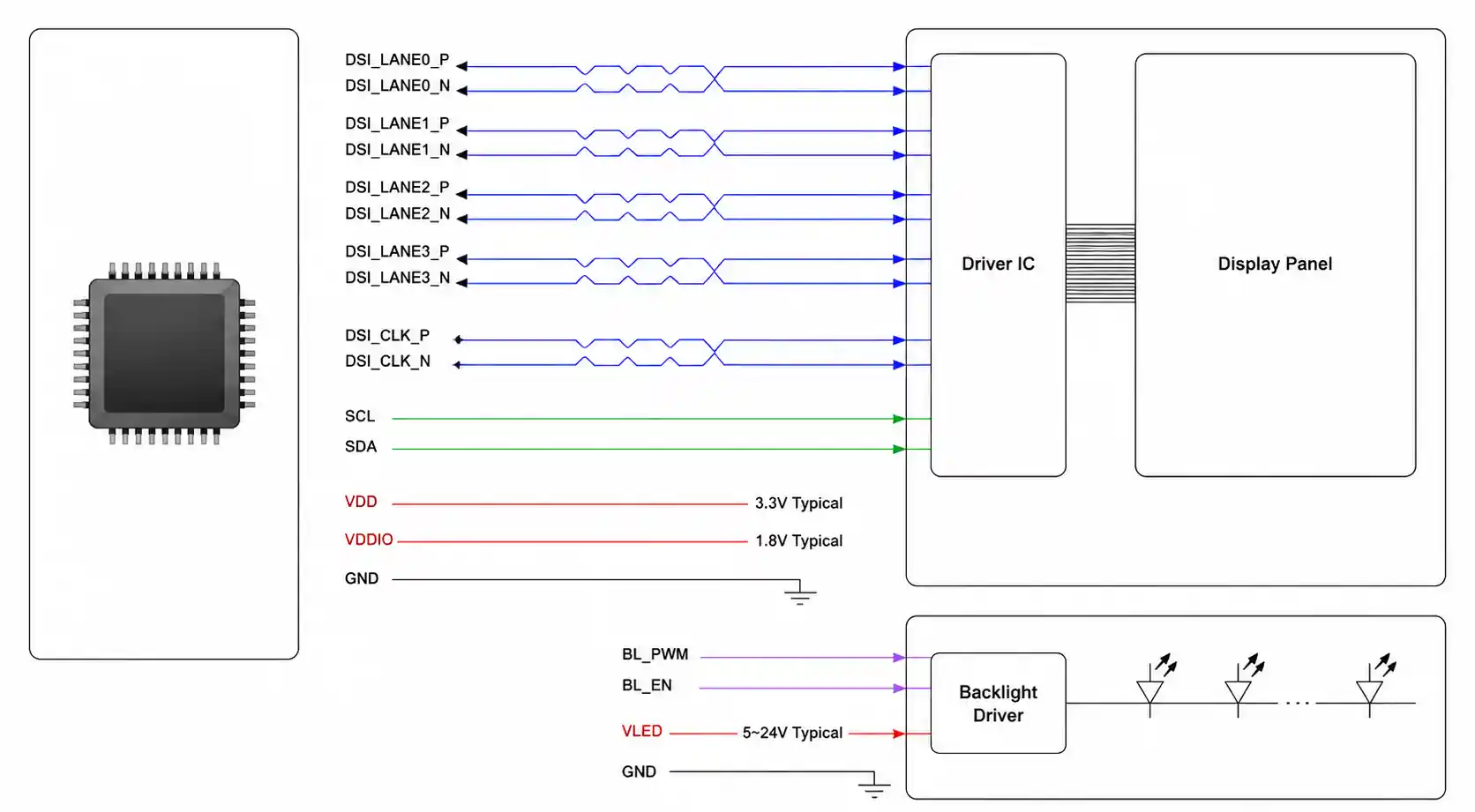
Interface and Driver IC Selection: Verify driver IC capabilities match your requirements. Some OLED drivers include burn-in compensation; LCD drivers vary in local dimming zone capability and backlight control interfaces. Even minor timing violations can cause visual artifacts.
5. Supply Chain and Sourcing Considerations
Manufacturer Landscape:
| Factor | LCD | OLED |
|---|---|---|
| Lead time (standard) | 8-12 weeks | 12-16 weeks |
| MOQ (standard modules) | 100-500 units | 500-1,000 units |
| Supplier options | Multiple (BOE, AUO, Innolux, Sharp) | Concentrated (Samsung, LG, BOE) |
OLED supply is concentrated—Samsung dominates small-medium (70%+ market share), LG leads large panels. LCD has multiple competitive sources providing better supply security and pricing leverage.
Cost Structure (10K units/year, 2026 Q2):
| Display Size/Type | LCD Cost | OLED Cost | Cost Ratio |
|---|---|---|---|
| 1.3" smartwatch | $8-12 | $12-18 | 1.4-1.6× |
| 5.5" smartphone FHD | $15-25 | $22-35 | 1.4-1.5× |
| 12.3" automotive cluster | $80-120 | $180-280 | 2.2-2.4× |
| 15.6" laptop FHD | $45-70 | $120-180 | 2.4-2.6× |
Qualification: Automotive requires AEC-Q100 or equivalent. OLED faces stricter lifetime testing for image retention—expect to derate brightness 30-50% for 15-year lifetime claims. Request actual test data at your planned operating brightness and temperature. LCD reliability data is more readily available due to longer market history.
6. FAQ
What's the real-world lifespan difference?
LCD: 50,000-100,000 hours to 50% brightness. OLED: 20,000-40,000 hours at typical brightness (200-300 nits)—blue emitters age faster. Running OLED at 50% brightness roughly doubles lifespan. For 24/7 operation over 5+ years, LCD is the safer bet.
Can OLED burn-in be completely prevented?
No. Modern OLEDs have pixel shifting, automatic brightness limiting, and pixel refresh—they reduce burn-in but don't eliminate it. High-contrast static elements (status bars, logos) will show differential aging over thousands of hours. For static UI, LCD is still the safer choice.
Why does OLED use more power on white screens but less on dark?
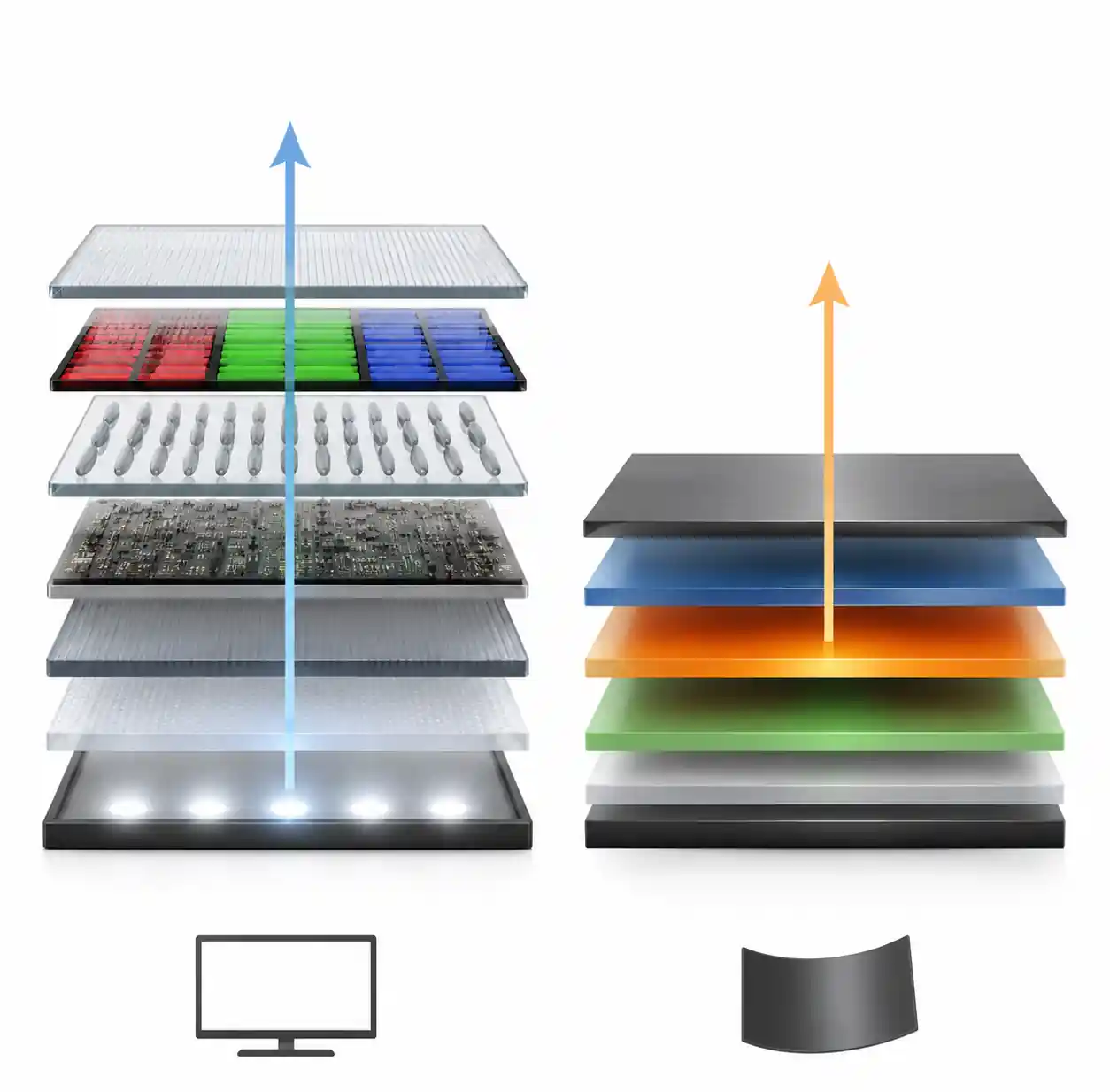
LCD backlight runs at constant power—liquid crystals block light for dark areas, but the backlight keeps running. OLED pixels only emit when energized—black requires near-zero power. White demands all sub-pixels at high current, so OLED guzzles power on bright content. Dark UI = OLED wins. Bright UI = LCD wins.
Which is better for outdoor readability?
LCD. High-end LCD sustains 1000-1500 nits across the entire screen. OLED peak brightness of 800-1000 nits is only on small areas briefly before thermal limiting kicks in. If your device lives outdoors or in direct sunlight, LCD is the clear technical choice.
How do I actually choose between them?
Three questions: 1) Content profile—dark UI? OLED. Bright all the time? LCD. 2) Environment—outdoor or wide temp range? LCD. Controlled indoor and thin form factor? OLED. 3) Static elements—status bars 24/7? LCD. Content that changes constantly? OLED. Run the numbers on your specific APL and ambient light, then pick the one that fits.
7. Conclusion
Neither OLED nor LCD is universally superior. OLED wins on contrast, response time, and dark-content efficiency. LCD wins on brightness, lifetime with static content, temperature range, and cost.