



The Complete MCU Selection Guide: How to Choose Between 8-bit, 16-bit, and 32-bit Microcontrollers
Introduction
Selecting the right microcontroller (MCU) is one of the most critical decisions in embedded system design. Microcontroller selection directly impacts your product's performance, power consumption, cost structure, and time-to-market. With the global microcontroller market reaching $36.4 billion in 2025 and projected to grow at 8.6% CAGR through 2035, understanding how to navigate the 8-bit vs 16-bit vs 32-bit landscape has never been more important.
Whether you're designing a simple sensor node, an industrial automation system, or a next-generation IoT device, this comprehensive guide will walk you through everything you need to know about MCU architecture selection. From processing capabilities to power efficiency, from development ecosystems to long-term availability—we'll cover the factors that separate successful designs from costly redesigns.
Quick Answer: What You Need to Know
8-bit microcontrollers excel at simple, cost-sensitive applications with minimal processing requirements. 16-bit MCUs provide a balanced middle ground for moderate complexity tasks. 32-bit microcontrollers deliver superior performance for complex algorithms, connectivity, and real-time operating systems. Your choice depends on processing needs, power constraints, budget, and future scalability requirements.
Table of Contents
- The Problem: Why MCU Selection Matters
- Understanding MCU Architectures
- Detailed Comparison: 8-bit vs 16-bit vs 32-bit
- Step-by-Step MCU Selection Process
- Real-World Application Examples
- Common Mistakes to Avoid
- FAQ: Frequently Asked Questions
- Conclusion and Next Steps
1. The Problem: Why MCU Selection Matters
The Cost of Poor MCU Selection
Analysis reveals that MCU selection mistakes rank among the top reasons for project delays and cost overruns in embedded development. Consider these industry statistics:
- 76% of hospitals now connect with patients through smart medical device technology, demanding reliable MCU performance
- The industrial automation MCU market reached $26 billion in 2020 and is projected to hit $35 billion by 2026
- Poor MCU choices can increase development time by 30-50% and add thousands in redesign costs
Key Pain Points Engineers Face
Performance Mismatch: Selecting an underpowered MCU forces firmware workarounds that compromise reliability. Conversely, over-specifying wastes budget and increases power consumption.
Power Budget Violations: Battery-powered devices often miss their target runtime by 40-60% due to inadequate power analysis during MCU selection.
Supply Chain Disruptions: In the post-pandemic era, choosing an MCU without verifying long-term availability has led to production halts and emergency redesigns.
Ecosystem Limitations: Weak development tools, insufficient documentation, and small community support can extend development cycles by months.
Industry Insight: "Once the MCU part is locked in, everything else has to bend around it—firmware structure, power behavior, wireless choices, certification, and debugging complexity." — Embedded Systems Expert
2. Understanding MCU Architectures
What "Bit Width" Actually Means
The bit width of a microcontroller defines:
- Data Bus Width: How many bits the processor can handle simultaneously
- Register Size: The maximum value a single register can store
- Memory Addressing: The amount of memory the MCU can directly access
- Arithmetic Precision: The complexity of mathematical operations
An 8-bit microcontroller processes data in 8-bit chunks, with registers holding values from 0-255. A 32-bit MCU handles data in 32-bit segments, enabling values up to 4,294,967,295 and significantly more complex calculations.
Architecture Evolution and Market Position
8-bit microcontrollers represent the most mature segment, with architectures like Intel 8051, Microchip PIC, and Atmel AVR dominating for decades. These devices typically operate at 1-50 MHz and remain relevant for cost-sensitive applications.
16-bit MCUs occupy a transitional position, with Texas Instruments MSP430 and Microchip PIC24 leading this segment. Operating at frequencies up to 100 MHz, they bridge the gap between 8-bit simplicity and 32-bit complexity.
32-bit microcontrollers have experienced explosive growth, primarily driven by ARM Cortex-M series processors from STMicroelectronics, NXP, Infineon, and Microchip. Operating frequencies commonly range from 50 MHz to over 500 MHz, with some high-performance variants exceeding 1 GHz.
3. Detailed Comparison: 8-bit vs 16-bit vs 32-bit
Comprehensive Feature Comparison
| Feature | 8-bit MCU | 16-bit MCU | 32-bit MCU |
|---|---|---|---|
| Processing Power | Low (1-50 MHz) | Medium (up to 100 MHz) | High (50-500+ MHz) |
| Memory Addressing | Up to 64 KB | Up to 16 MB | Up to 4 GB |
| Flash Memory (Typical) | 4-128 KB | 32-512 KB | 128 KB - 2 MB+ |
| RAM (Typical) | 0.5-8 KB | 2-32 KB | 16-384 KB |
| Active Power Consumption | 1-10 mA | 5-25 mA | 20-100 mA |
| Sleep Mode Current | < 1 µA | < 5 µA | 0.5-10 µA |
| Unit Cost (Volume) | $0.20 - $2.00 | $1.50 - $5.00 | $2.00 - $15.00 |
| Math Coprocessor/FPU | No | Limited | Yes (most) |
| RTOS Support | Limited | Moderate | Excellent |
| Development Complexity | Low | Medium | Higher |
Processing Capability Analysis
8-bit microcontrollers execute basic control tasks efficiently. Their simplified instruction sets minimize power consumption while handling straightforward operations like:
- GPIO control and simple sensing
- Basic timing and PWM generation
- Simple communication protocols (UART, I2C, SPI)
- LED control and button interfaces
16-bit MCUs deliver enhanced computational performance suitable for:
- Motor control with moderate precision requirements
- Data acquisition systems with multiple channels
- Power conversion and management
- Basic signal processing tasks
32-bit microcontrollers excel at complex operations including:
- Real-time operating system execution
- Advanced digital signal processing (DSP)
- Floating-point mathematical operations
- Complex communication stacks (USB, Ethernet, CAN-FD)
- Graphics processing and user interfaces
- Machine learning inference at the edge
Power Efficiency Deep Dive
Power consumption patterns vary significantly across architectures:
8-bit MCUs traditionally excel in power efficiency due to simplified architecture and reduced transistor count. The STM32L0 series demonstrates this with standby currents as low as 0.2 µA, enabling multi-year battery life from coin cells.
16-bit MCUs like the MSP430 series incorporate advanced power management with multiple sleep modes, clock gating, and voltage scaling. Active current typically ranges from 5-25 mA with sleep currents comparable to 8-bit devices.
32-bit MCUs demonstrate varying efficiency characteristics. While high-performance variants may consume 20-100 mA active, their superior processing efficiency often completes tasks faster, enabling longer sleep periods. Advanced 32-bit devices feature dynamic voltage and frequency scaling, multiple power domains, and intelligent peripheral control.
Real-World Data: A remote sensing application using optimized low-power techniques achieved 46 years of battery life from a single CR2032 coin cell (230 mAh), with average current draw of only 0.564 µA.
Cost-Performance Trade-offs
| Cost Factor | 8-bit MCU | 16-bit MCU | 32-bit MCU |
|---|---|---|---|
| Chip Cost (1K units) | $0.30 - $1.50 | $1.00 - $4.00 | $1.50 - $10.00 |
| Development Tools | Free - $200 | Free - $500 | Free - $5,000 |
| External Components | Minimal | Moderate | More complex |
| Engineering Time | Shorter | Moderate | Longer |
| Certification Complexity | Lower | Moderate | Higher |
The total cost of ownership extends beyond chip pricing. Development tools, engineering time, external components, and certification costs all factor into the equation. Higher bit-width controllers often reduce development time through enhanced debugging capabilities and richer software ecosystems, potentially offsetting initial cost premiums.
4. Step-by-Step MCU Selection Process
Step 1: Define Application Requirements
Begin by documenting your project's specific needs:
Processing Requirements:
- What algorithms will run on the MCU?
- What is the required response time for critical operations?
- Will you need floating-point calculations?
- Is DSP functionality required?
Memory Needs:
- Estimate code size and add 20-30% margin for future updates
- Calculate runtime RAM requirements
- Consider need for external memory expansion
Peripheral Requirements:
- Communication interfaces (UART, I2C, SPI, USB, CAN, Ethernet)
- Analog capabilities (ADC resolution, DAC, comparators)
- Timer requirements for PWM or capture/compare
- Special features like hardware security modules
Step 2: Establish Power Constraints
For battery-powered applications, power analysis is critical:
- Define target battery life (days, months, years)
- Calculate duty cycle (active vs. sleep time)
- Identify wake-up sources and frequency
- Consider operating temperature range impact on battery
Step 3: Set Budget Parameters
- Target unit cost at projected volumes
- Development tool budget
- Timeline constraints affecting engineering costs
- Certification budget (if applicable)
Step 4: Evaluate Ecosystem and Support
Development Tools:
- IDE quality and cost (STM32CubeIDE, MPLAB X, Arduino)
- Compiler efficiency and optimization
- Debugger/programmer availability and cost
- Software libraries and middleware (RTOS, communication stacks)
Community and Vendor Support:
- Active user forums and communities
- Quality of documentation and application notes
- Vendor responsiveness to technical questions
- Availability of reference designs
Step 5: Verify Supply Chain and Longevity
- Check component availability across distributors
- Verify manufacturer's product longevity commitment
- Assess geographic supply chain risks
- Consider second-source options
Step 6: Prototype and Validate
- Obtain evaluation boards for top candidates
- Implement critical functionality on each platform
- Measure actual power consumption under realistic conditions
- Validate performance under stress testing
5. Real-World Application Examples
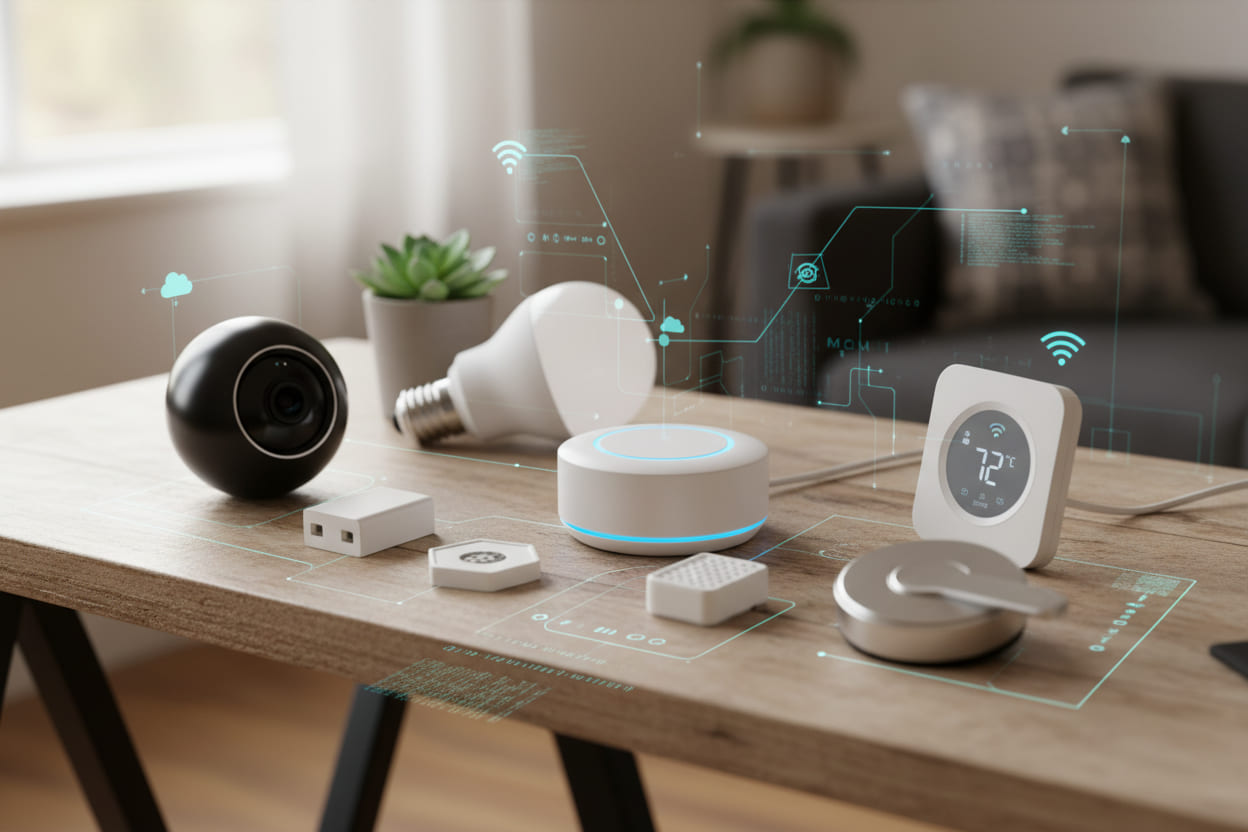
Application 1: Smart Agriculture System
Challenge: Develop a soil moisture monitoring system with wireless connectivity, operating on battery power for 2+ years.
Solution: An 8-bit MCU (ATmega328P) paired with a low-power radio module.
Rationale:
- Simple sensor reading and periodic transmission
- Ultra-low sleep current (<1 µA) essential for battery life
- Cost target under $5 BOM
- 8-bit processing sufficient for basic threshold detection
Results: System achieved 2.5-year battery life from AA cells, reduced water usage by 30% through intelligent irrigation control.
Application 2: Industrial Motor Control
Challenge: Design a variable frequency drive (VFD) for industrial motors requiring precise speed control, real-time monitoring, and communication with PLCs.
Solution: A 32-bit MCU (STM32F4 series) with hardware FPU.
Rationale:
- Complex PID control algorithms requiring floating-point math
- Real-time processing of multiple feedback signals
- CAN bus communication for industrial networking
- 168 MHz operation for fast control loops
Results: Achieved ±0.1% speed accuracy, reduced energy consumption by 15-20%, enabled predictive maintenance through vibration analysis.
Application 3: Wearable Health Monitor
Challenge: Create a continuous heart rate and SpO2 monitor with Bluetooth connectivity, operating 7+ days on a single charge.
Solution: A 32-bit low-power MCU (nRF52840) with integrated BLE.
Rationale:
- Complex signal processing for PPG data
- Integrated BLE reduced component count and power
- 64 MHz Cortex-M4 with FPU for algorithm execution
- Multiple low-power modes (down to 0.4 µA in System OFF)
Results: 10-day battery life, FDA-cleared for medical use, secured $2M in funding for mass production.
Application 4: Automotive Body Control Module
Challenge: Design a centralized body control module managing lighting, door locks, and climate functions with automotive-grade reliability.
Solution: An ASIL-B certified 32-bit MCU (Infineon Aurix).
Rationale:
- ISO 26262 functional safety compliance required
- Multiple CAN-FD channels for vehicle networking
- Extended temperature range (-40°C to +125°C)
- Hardware security module for cyber protection
Results: Achieved ASIL-B certification, reduced wiring harness weight by 15%, enabled over-the-air firmware updates.
6. Common Mistakes to Avoid
Mistake #1: Over-Specifying for "Future-Proofing"
Many teams select MCUs with capabilities they "might need someday." In reality, "someday" rarely arrives. Unused features increase cost, complicate firmware, and consume more power.
Solution: Select for current requirements plus realistic 20-30% growth margin—not hypothetical future needs.
Mistake #2: Ignoring Real Power Behavior
Power problems stem from many small decisions: peripherals staying enabled, GPIO leakage, frequent wake-ups, and wireless stack bursts.
Solution: Model power consumption early, measure actual current under realistic conditions, and optimize the duty cycle before finalizing the MCU.
Mistake #3: Underestimating Memory Requirements
Early firmware always fits comfortably, creating false confidence. As features, logging, wireless, and security requirements expand, memory disappears.
Solution: Allocate 20-30% Flash and RAM margin above initial estimates. Model memory growth over the product lifecycle.
Mistake #4: Choosing MCU Before System Architecture
Selecting an MCU before defining the system forces all other decisions to bend around that choice—often suboptimally.
Solution: Define system architecture, interface requirements, and power budget first. Then select the MCU that fits those constraints.
Mistake #5: Overlooking Certification Requirements
A product can work perfectly on the bench but fail EMI/RF certification testing due to MCU clocking choices or peripheral configurations.
Solution: Review certification requirements (FCC, CE, automotive, medical) early and select MCUs with proven certification paths.
Mistake #6: Neglecting Supply Chain Planning
The MCU disappears from distribution just when production ramps up, forcing expensive redesigns.
Solution: Verify long-term availability commitments, check allocation status, and identify second-source options before committing.
7. FAQ: Frequently Asked Questions
What is the main difference between 8-bit, 16-bit, and 32-bit MCUs?
The primary difference lies in data processing width. 8-bit MCUs handle data in 8-bit chunks (values 0-255), suitable for simple control tasks. 16-bit MCUs process 16-bit data (values 0-65,535), offering better precision for moderate complexity. 32-bit MCUs work with 32-bit data (values up to 4.3 billion), enabling complex algorithms, extensive memory addressing, and advanced features like floating-point math and RTOS support.
Which MCU architecture is best for beginners?
8-bit microcontrollers (particularly AVR-based Arduino platforms) offer the gentlest learning curve. Extensive tutorials, large communities, and simple architectures make them ideal for learning. The Arduino ecosystem provides accessible development tools and countless example projects. However, for those planning professional embedded careers, starting with 32-bit ARM Cortex-M (STM32) provides more transferable skills despite a steeper initial learning curve.
Can I use a 32-bit MCU for simple applications?
Yes, but it may not be optimal. While 32-bit MCUs can handle simple tasks, they typically cost 2-5x more than 8-bit alternatives and consume more power. The exception is when you need specific 32-bit features (like USB or advanced communication) even for simple applications. Modern low-power 32-bit MCUs (like STM32L0) can be competitive with 8-bit options in power-sensitive applications while offering more headroom for future expansion.
How do I estimate power consumption for battery-powered designs?
Remember to include all power domains: CPU, peripherals, communication, and sensors. Always measure actual consumption during prototyping, as datasheet values often differ from real-world conditions.
What are the most important factors for industrial automation MCU selection?
For industrial applications, prioritize:
- Reliability: Extended temperature ranges (-40°C to +85°C or higher)
- Communication: CAN-FD, Ethernet, and industrial protocol support
- Real-time performance: Deterministic response times for control loops
- Longevity: 10-15 year product availability commitments
- Safety: Functional safety certifications (SIL, ASIL) if required
- EMC robustness: Immunity to electrical noise and interference
How does MCU selection impact IoT device security?
MCU architecture significantly affects security capabilities:
- 8-bit MCUs offer minimal hardware security features, relying primarily on software-based security
- 32-bit MCUs increasingly include hardware security modules, secure boot, cryptographic accelerators, and tamper detection
- Memory protection units (MPU) in 32-bit MCUs enable secure firmware isolation
- TrustZone technology in advanced ARM cores provides hardware-based security domains
For connected devices, selecting an MCU with hardware security features is essential for protecting against cyber threats.
8. Conclusion and Next Steps
Key Takeaways
8-bit microcontrollers remain the optimal choice for simple, cost-sensitive applications where minimal processing, ultra-low power, and basic control are sufficient. They excel in battery-powered sensors, simple appliances, and educational projects.
16-bit MCUs provide a compelling middle ground for applications requiring better precision than 8-bit can offer, without the complexity and cost of 32-bit solutions. Motor control, data acquisition, and power management are ideal use cases.
32-bit microcontrollers dominate complex applications requiring extensive processing, connectivity, and advanced features. IoT devices, industrial automation, medical equipment, and automotive systems benefit from their superior capabilities.
The Selection Framework
Remember the four pillars of MCU selection:
- Requirements First: Define processing, memory, power, and peripheral needs before evaluating MCUs
- Ecosystem Matters: Development tools, community support, and vendor responsiveness significantly impact success
- Power Reality: Model and measure actual power consumption—don't rely solely on datasheet specifications
- Supply Chain Security: Verify long-term availability and identify backup options
Your Next Steps
- Document Requirements: Create a detailed specification of your application's processing, memory, power, and connectivity needs
- Shortlist Candidates: Use the comparison tables in this guide to identify 2-3 MCU families that match your requirements
- Evaluate Ecosystems: Download IDEs, review documentation quality, and assess community support for each candidate
- Prototype Critical Functions: Obtain evaluation boards and implement your most demanding features on each platform
- Measure and Validate: Test power consumption, performance under stress, and real-world reliability
Final Thought: "The best MCU is not the most powerful or the cheapest—it's the one that meets your requirements with appropriate margin for growth, while fitting your budget, timeline, and supply chain constraints."
Additional Resources
- STM32 Selection Guide: STMicroelectronics MCU Finder
- Microchip Product Selector: Microchip MCU Selector
- ARM Cortex-M Resources: ARM Developer Documentation
- Low-Power Design Techniques: TI Ultra-Low-Power MCU Guide